What does on-premises messaging mean?
Your organisation operates the application server, database and file storage. Employees use a desktop client that connects to your configured internal server. Multiple does not discover peers automatically or use employee devices as a serverless message network.
Messages and structured records live in the company-managed database; shared files live in server storage. Your team decides who can connect and owns the backup, maintenance and retention procedures. This is separate from the hosted marketing website and its enquiry database.
One workspace for everyday communication
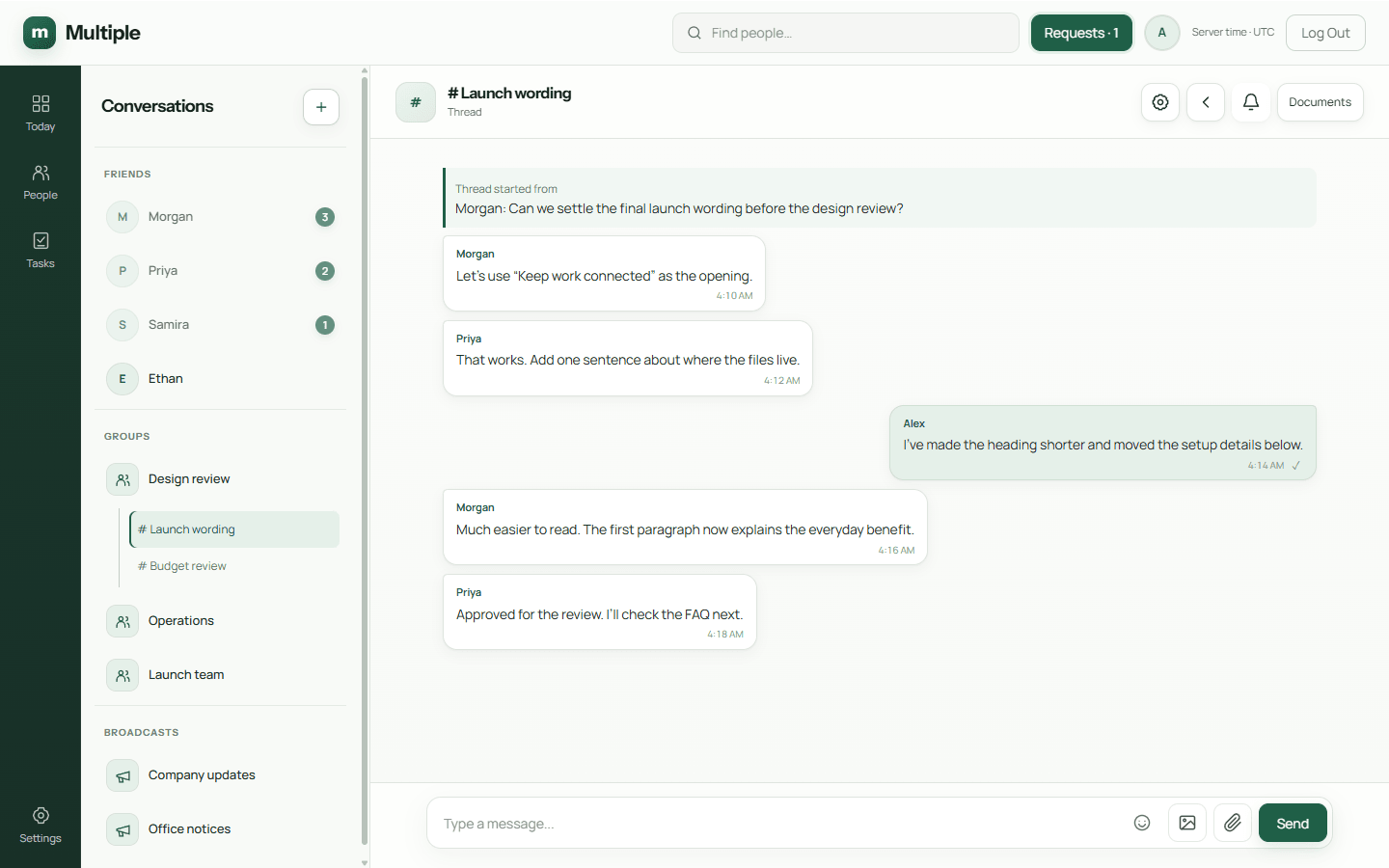
Direct messages handle one-to-one work. Groups bring a team together, broadcasts give announcements a dedicated place, and linked threads keep focused discussions attached to their source. Replies, forwarding, mentions and read receipts help people follow the conversation.
Files and media sit alongside the discussion. Personal tasks and one-time reminders provide a private list of commitments. Audio, video and screen sharing use the selected calling infrastructure. Basic shared editing has individual View, Edit and Download permissions. The AI summary control is removed from the current beta.
Who should consider this approach?
Multiple fits businesses that want IT-managed employee accounts and company-controlled storage, and can operate a Windows server and desktop environment. It can give work communication an alternative to personal accounts and informal file-sharing tools.
It is a deliberate operational choice: someone must maintain the server, SQL database, certificates, backups and employee clients. If your team wants no internal server responsibility, review that trade-off before choosing an on-premises product.
Buying a self-hosted chat server: agree the operating cost
Self-hosted describes who runs the service; it does not mean a free or open-source licence. Multiple’s current business setup is a company-managed Windows server and Windows desktop clients on one local VLAN. It serves internal employee communication, rather than customer-support widgets or SMS marketing.
Compare the per-server licence with the cost of operating Windows, SQL, storage, backups and maintenance. The three-month trial still needs prerequisites and a valid installation-bound entitlement. Confirm the offered release, update process and support scope before purchase.
- Assign owners for account reviews, certificates, licence validity and signed offline server updates.
- Protect both SQL records and shared files, and test restoration together with configuration and licensing state.
- Review configured calling services and basic shared-editor limits with representative employee files.
Understand the current deployment boundary
The current setup uses one application backend and one local VLAN. Core communication can run without public internet once approved software, prerequisites and a valid offline licence are supplied. Internal connectivity and running application/database services are still essential.
Multi-VLAN deployment, clustering, high availability, mobile clients and a measured unlimited capacity are not advertised. Calling must be validated on the intended network. Production release approval and remaining acceptance checks must be confirmed before customer rollout.
Common questions
Does self-hosted mean end-to-end encrypted?
No. Multiple’s documented deployment uses trusted TLS connections and server-side access controls. Administrators have permission-controlled capabilities; end-to-end message encryption is not claimed.
Can our IT team remove employee access?
Authorised administrators can suspend or deactivate accounts and revoke sessions. This does not recall files already downloaded or prevent an authorised person from copying information.