01
DATA OWNERSHIPMessages and files on your servers
A company-managed home for internal work, with storage and backups under your IT team’s control.
COMPANY COMMUNICATION. UNDER COMPANY CONTROL.
Give employee conversations and shared files a company-managed home. Connect your team on your own infrastructure, with control over access and less reliance on unmanaged sharing.
A company-managed home for internal work, with storage and backups under your IT team’s control.
Manage accounts, permissions and sessions. Remove access when someone leaves while preserving history.
Connect through your local network once the required software and offline licence are in place.
BUSINESS RISKS. PRACTICAL CONTROLS.
Protect company communication, preserve discussion context and give IT the controls to review concerns. Here’s where Multiple helps.
Employee conversations and shared documents can drift into accounts and tools your IT team does not manage.
Give employees a company-managed workspace for messages and files, with conversation membership and authorised downloads checked on the server.
When someone leaves or changes roles, their access to company conversations should change too.
Suspend or deactivate accounts and revoke sessions through Multiple Administration, while preserving conversation history and user references.
An internet outage can interrupt collaboration that depends on an external service.
Run core communication on your internal network without public internet access, once the required software and offline licence are in place.
Your business needs to know where its messages and files live—and who is responsible for them.
Keep messages in your company-managed database and files on your server. Your IT team manages storage, backups and retention, and approves any optional AI endpoint.
When several topics share one busy conversation, the original question and supporting files become harder to follow.
Keep focused discussions in linked threads, reply with context and share files in the same workspace, so employees can follow the conversation back to its source.
When a concern arises, IT needs a record of relevant account activity and a controlled way to review the facts.
Use audit records and permission-controlled investigations to review relevant activity. Protected searches, views and exports require reasons and references.
Internal connectivity and configured services are still required. Optional AI has separate endpoint requirements.
See these controls in a demoTHE PRODUCT, AS IT IS
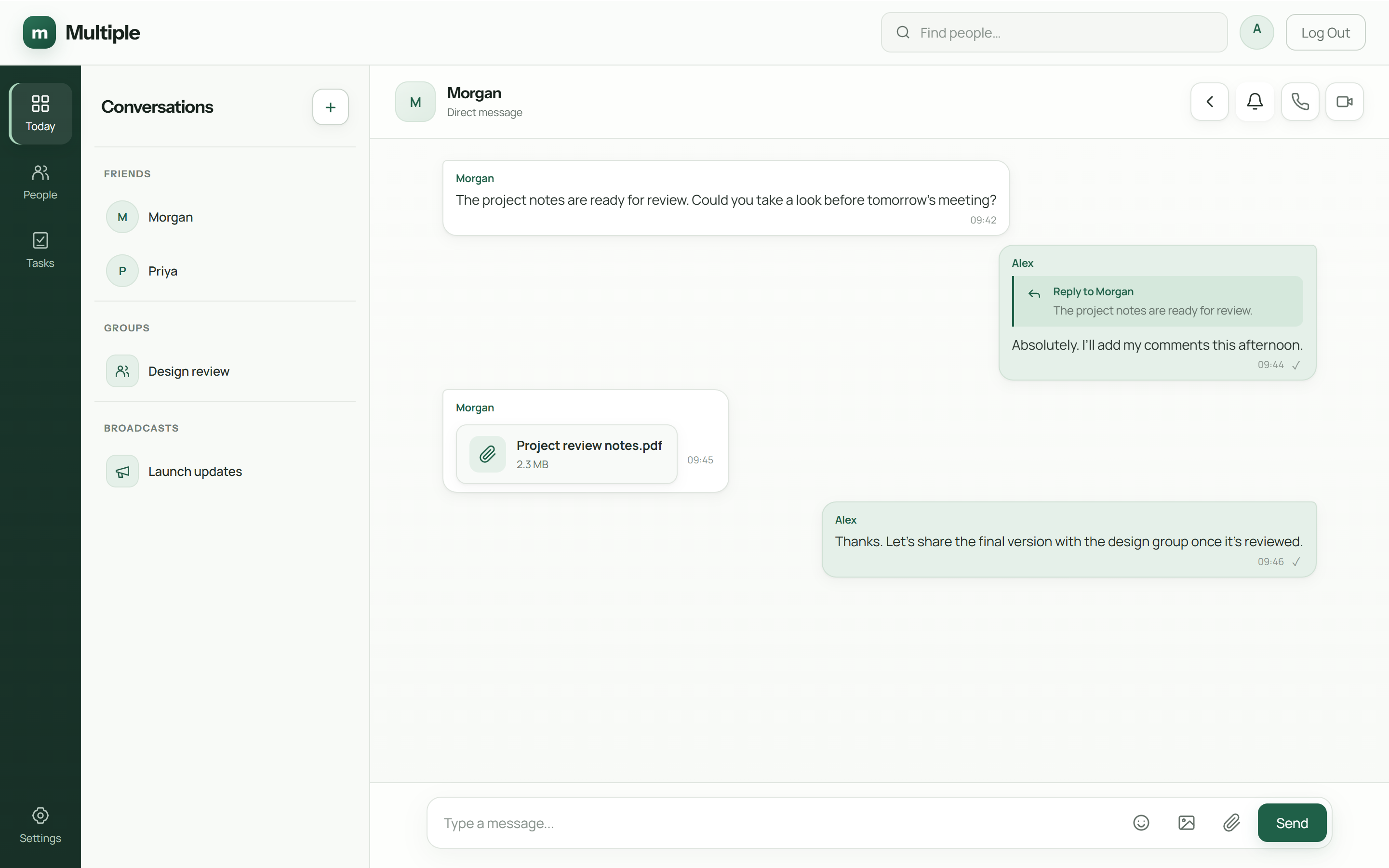
Take a closer look at the workspace your team will use. These are captures of Multiple’s real interface, with example content.
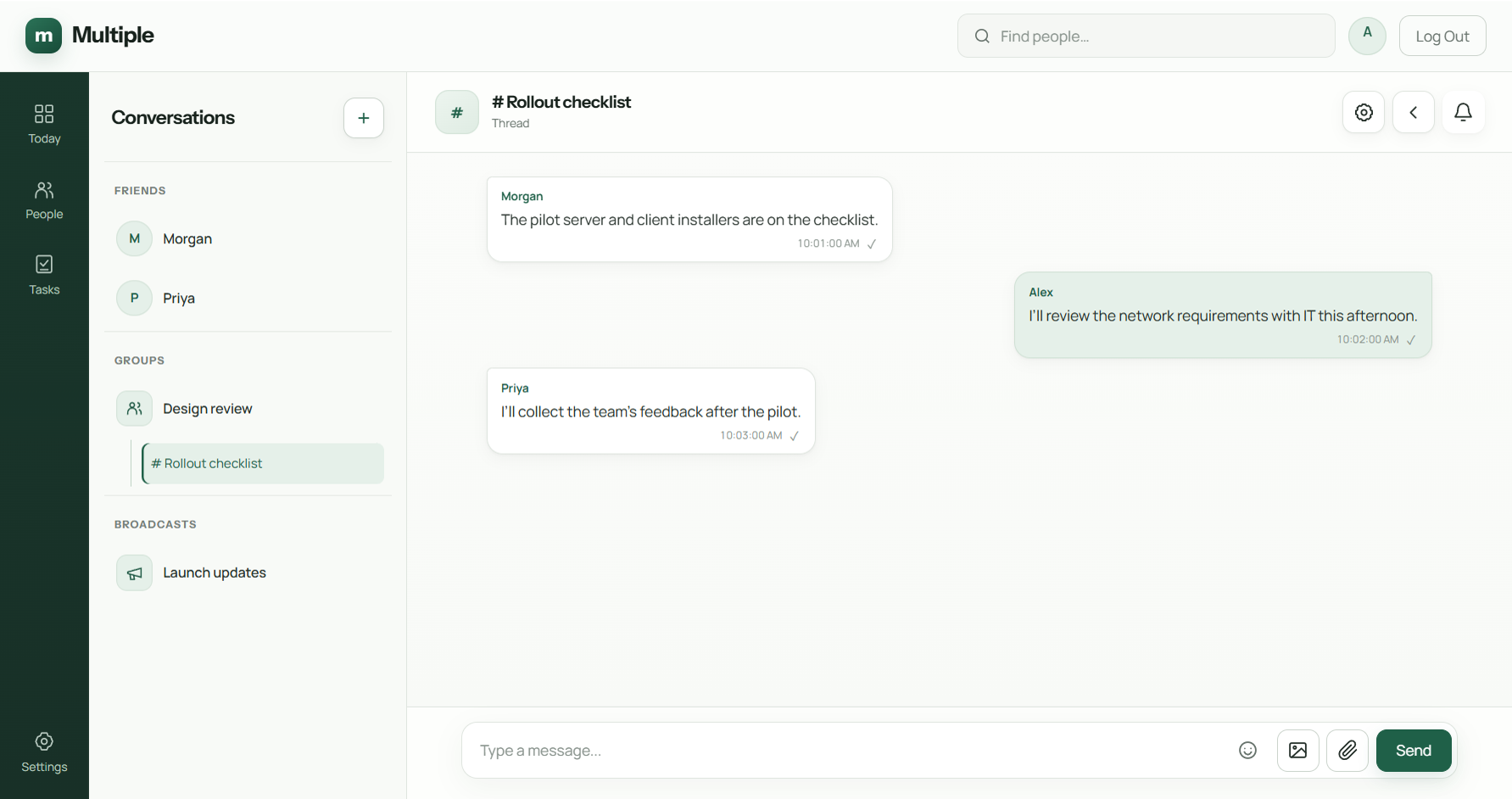
Branch from a group or broadcast text message and keep the parent conversation in sight. Threads inherit access from their parent.
Built around how teams communicate and follow through.
Talk one-to-one or bring a team together. Replies and forwarding preserve conversation context.
Branch a discussion from a text message in a group or broadcast. Access follows the parent conversation.
Move from typing to talking. Direct and group calls use your selected calling infrastructure, with self-hosted media available when configured.
Give company updates a dedicated home. Posting and moderation controls distinguish announcements from open discussion.
Share documents and media within a conversation, then revisit them in the built-in viewer.
Keep a private list of commitments, due dates and one-time reminders inside your workspace.
Find unread conversations, follow mentions and check message-read details where supported.
Find colleagues, manage contact requests and control membership in groups and broadcasts.
Catch up on unread messages through an approved model endpoint. Disabled by default in production; requires configuration.
UNDER THE SURFACE
A desktop client. One application server. Your database and file storage. The current setup connects employees and the server within one local VLAN.
Select a layer to see its role. The call-media branch is optional; it has its own network path.
One Multiple application backend checks sessions, permissions and conversation membership. It stores messages, delivers events to authorised participants and coordinates call signalling.
See deployment requirementsHOW YOUR LOCAL NETWORK FITS IN
Employee devices and the Multiple server share the same local network. A local switch carries traffic between them; the application server checks access and delivers messages to authorised recipients.
Core messaging uses local switching, without a public cloud hop or inter-VLAN routing.
This describes the current single-VLAN setup. Local connectivity and configured services are still required. Optional AI uses a separately approved endpoint; calling needs its selected media services.
See this architecture in a demoFOR THE PEOPLE WHO RUN IT
Company communication needs more than a chat window. Multiple includes administration for access, operations and responsible data management.
Suspend or deactivate accounts, revoke sessions and manage group membership. Preserve history without leaving former employees with active access.
Investigate concerns through audit records and permission-controlled searches. Protected views and exports require reasons and references.
Service health, deployment validation, certificate status and installation-bound offline license management.
Data-management controls, backup procedures and customer-controlled offline server updates.
Administrative access is permission-controlled and audited. Multiple is not presented as an employee productivity-scoring or surveillance tool.
FROM FIRST CONVERSATION TO FIRST ROLLOUT
Start with your environment and the way your team works. A pilot helps confirm the fit before a wider deployment.
Talk through your requirementsWindows server · Windows desktop clients
Company-managed database & file storage
Internal server address & trusted certificates
Customer-managed backup and network policies
One application backend today. Calling requires selected media services and network validation. Production release approval and customer prerequisites must be confirmed before rollout.
Discuss communication needs, deployment preferences and the people who will use and maintain Multiple.
Review your single-VLAN local network, server address, certificates, storage and call connections with your IT team.
Exercise messages, files, permissions, calls and recovery on your network. Check capacity against expected usage.
Distribute your organisation-specific client through your approved software channel and establish maintenance procedures.
TRY IT WITH YOUR TEAM
Start with a three-month free trial and explore Multiple in your own environment.
Per server · Prices in USD
$49
For three monthsA shorter commitment for your workplace.
Discuss this plan$199
For one yearA full year of Multiple for your team.
Discuss this plan$499
One-time paymentA lifetime Multiple licence for your server.
Discuss this planSHARE MULTIPLE. EARN DISCOUNTS.
Promotion and referral rewards begin after three weeks of your free trial.
Seven tiers, based on your account’s follower count. Your post must follow our required structure and be reviewed and approved by the Multiple team.
Get the post structure| LinkedIn followers | Plan discount |
|---|---|
| 0–499 | 10% |
| 500–1,999 | 20% |
| 2,000–4,999 | 30% |
| 5,000–9,999 | 40% |
| 10,000–14,999 | 50% |
| 15,000–24,999 | 60% |
| 25,000+ | 70% |
Your plan automatically becomes lifetime free.
A FEW THINGS YOU MAY BE WONDERING
Details that help you decide whether Multiple fits your business.
Multiple gives businesses a company-managed alternative to scattered personal messaging and file-sharing tools. It brings conversations, calls and everyday work together on your infrastructure, with control over employee access, data storage and core communication without public internet dependency.
Multiple keeps application messages and files on company-managed infrastructure, checks conversation membership and file access on the server, and gives authorised administrators account and session controls. These help manage exposure within Multiple. They do not prevent an authorised employee from copying information or taking screenshots, and they are not a guarantee against data breaches.
An internal deployment lets your IT team avoid publishing the application to the public internet and reduces reliance on external communication services. It still needs secure endpoints, appropriate permissions, trusted TLS, updates and backups. Insider misuse, compromised devices and configuration errors remain risks to manage.
The current setup uses one local VLAN, with employee devices connecting to a single Multiple application server through the local network. Core messaging does not depend on public internet access after prerequisites and the offline licence are supplied. Multi-VLAN routing is not presented as part of the current setup. Calling and optional AI have their own service requirements.
The documented on-premises deployment can operate without internet access after approved prerequisites, software and a valid offline license are supplied. Internal DNS, trusted certificates, network connectivity and any selected call services are still required. Optional AI has its own endpoint connectivity requirements.
The current product is Windows-first: Windows desktop clients and a company-managed Windows server with the required database and software prerequisites. Mobile apps and other desktop platforms are not presented as available.
Messages and structured records live in your company-managed database. Shared files live in your server storage. Optional calls use your selected media infrastructure. This marketing website is separate: enquiry details are stored in its lead database, not your Multiple deployment.
The documented deployment uses encrypted application connections and server-side access controls. This is not a claim of end-to-end message encryption, and no independent compliance certification is claimed. Customer IT should review the architecture, policies and production release.
AI summaries are optional and disabled by default in production. When enabled, selected unread conversation content is sent to an administrator-approved, allowlisted model endpoint. Your organisation must approve that endpoint and its data handling. AI is not required for core messaging.
Installation configures selected services, TLS and an organisation-specific desktop installer. Licenses are verified offline. Customer IT applies signed offline server updates and distributes employee-client installers through its approved software channel. Automatic client installation is not claimed.
Multiple is priced per server in USD: $49 for three months, $199 for one year, or $499 for a lifetime licence with a one-time payment. Start with a three-month free trial. Plans and pricing may change in the future. Confirm the current plan details and price with us before purchase or renewal, and discuss your deployment requirements.
Use the trial request button or select Three-month free trial in the enquiry form. We will follow up to discuss your server and local network, and arrange deployment. The current Windows and single-VLAN deployment prerequisites still apply.
After the first three weeks of your free trial, one approved promotional post on LinkedIn earns a one-time discount of 10%–70%, based on your account’s follower count across seven tiers. Only LinkedIn posts qualify. Your post must follow Multiple’s required post structure and be reviewed and approved by our team before the promotional discount is awarded. Contact us for the structure and submit your post link for review. Each successful referral earns another 10%; the referred business must deploy Multiple on its own infrastructure. These discounts stack up to 100%. Discounts below 100% apply to your current plan and its future renewals. When your combined discount reaches 100%, your plan automatically converts to a lifetime free licence for that server.
The current release uses a single application backend. High availability and clustering are not advertised as ready. Server sizing, concurrent usage and call capacity should be evaluated for your proposed deployment.
SEE HOW IT FITS YOUR BUSINESS
Concerned about sensitive files, employee access or internet dependency? Request a demo and discuss how Multiple fits your team and infrastructure.
multiple.support@gmail.com