Choose what “sharing” means today
A shared folder is a place people browse. A message attachment arrives with a conversation. A shared draft lets the chosen people edit a basic working document. None is automatically the best answer to every office job.
For a one-off review, a file plus a clear message may be enough. For a small draft with several contributors, basic shared editing may avoid passing copies back and forth.
The office connection is the important part
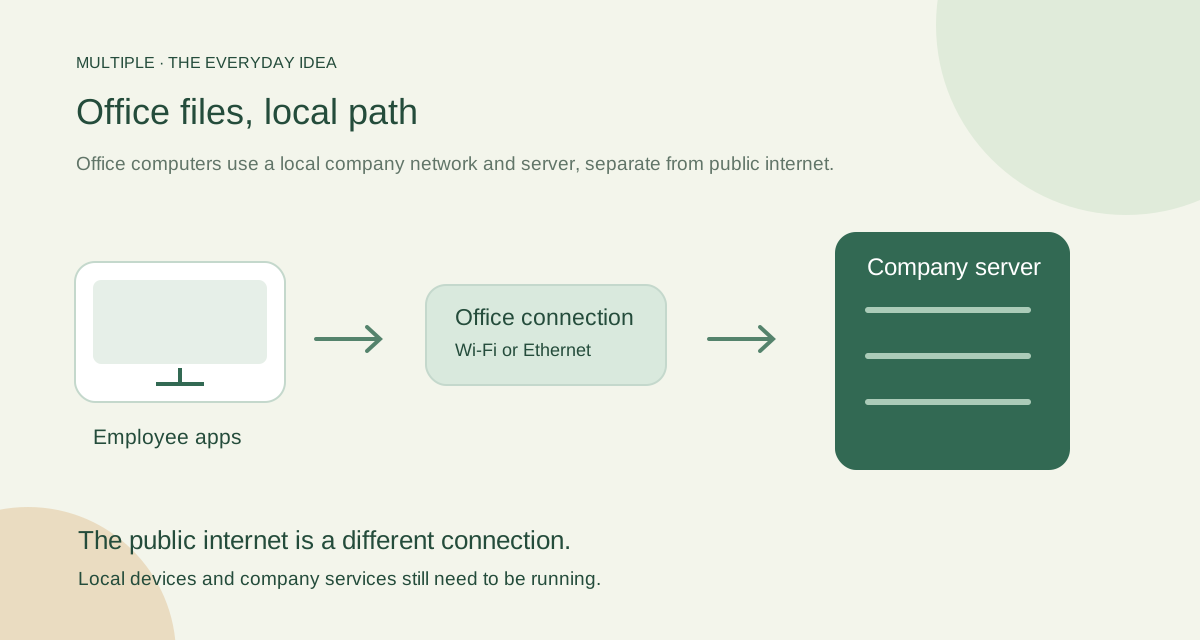
Multiple’s Windows clients connect to the configured company server on the supported local network. That local path can use the office Wi-Fi or wired connection. Public internet is not the path the core application needs after setup.
The server and database must still be running. A disconnected device, failed switch or unreachable server can interrupt local sharing even when the public internet has nothing to do with the problem.
Send the file with its next action
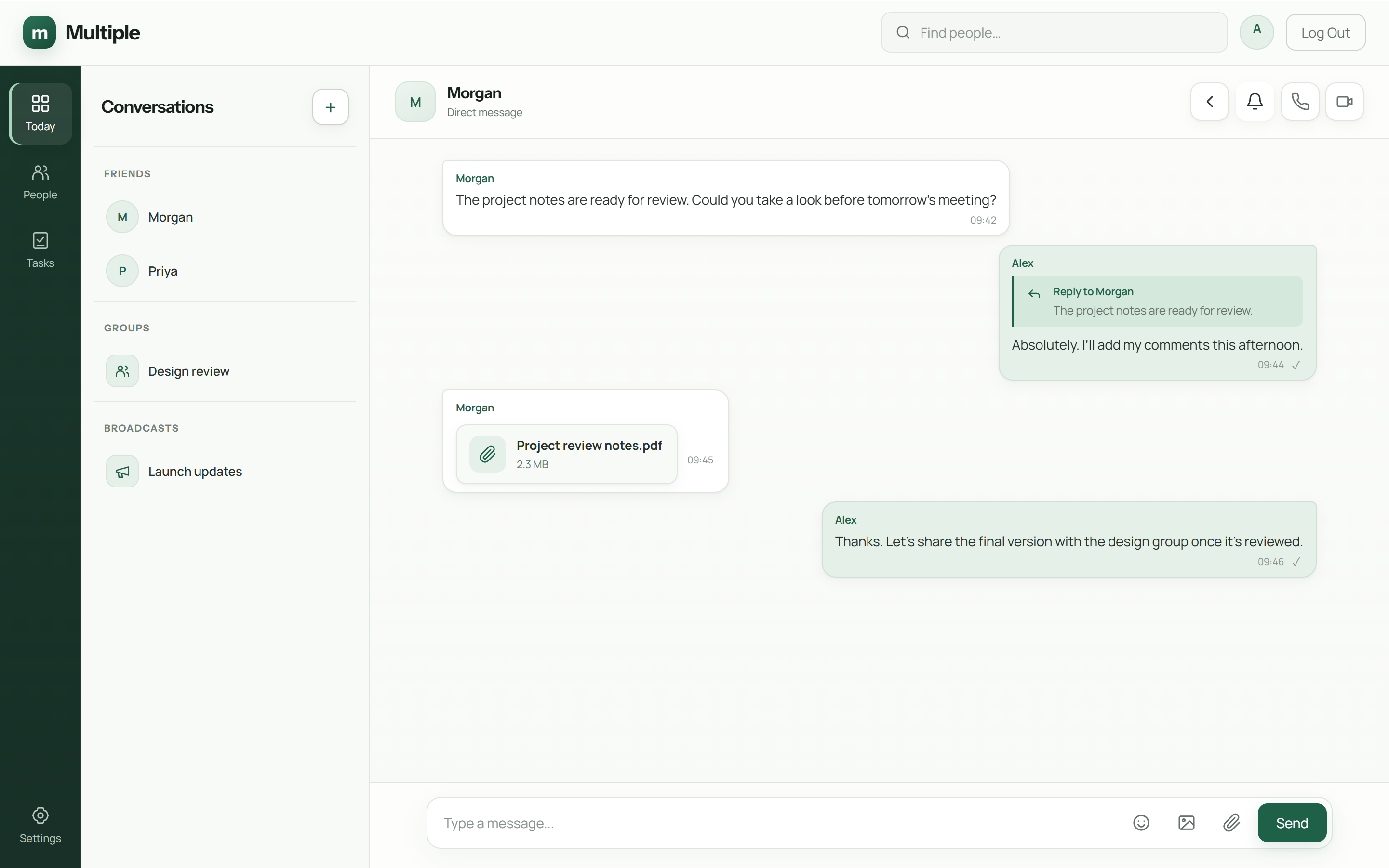
Choose the intended colleague or group. Share the file and explain whether they should read, review or use it. Replies and focused discussions keep follow-up questions with their context.
For a basic shared draft, select each person’s permissions. View, Edit and Download are separate choices. A colleague who can discuss the file does not automatically receive all three.
| Approach | Useful starting scenario | Dependency to check |
|---|---|---|
| Windows network folder | Repeated access to an agreed set of files | Reachable host, network sharing configuration and folder permissions |
| Company-managed messenger | A file needing a question, reply or decision | Healthy application service, company storage and conversation membership |
| Approved removable media | An exceptional controlled transfer | Company authorization, device handling and current file identification |
Try the right outage test
With IT, block public internet access on a disposable test setup while keeping the office network available. Check the message, authorised download and basic editing workflow.
Then test a local problem separately, such as stopping the test service. Knowing the difference keeps “offline” from becoming a vague promise that nothing can ever interrupt work.
Use a controlled test environment. Do not disrupt the live office network to prove a point.
Keep the connection trustworthy
Do not disable certificate checks or share a database password just to make a file open. Those shortcuts change the risk instead of fixing the underlying setup.
Ask IT to check the company address, certificate trust, account and service status. Employees need a clear help route; they should not have to learn server administration to send their next attachment.
The fuller notes for your IT team
Choose the sharing workflow
If several employees need a stable folder of reference files, evaluate Windows network sharing with the appropriate permissions and an accountable host. If the file is part of an office question or decision, a company-managed messenger can keep the attachment beside the relevant conversation.
These approaches serve different needs and can coexist. A shared folder does not automatically explain why a file was approved, and a chat attachment is not automatically the organization’s structured file repository.
Check the network before diagnosing the app
Make sure both PCs can reach the intended local host through the supported network. Wi-Fi isolation, a separate guest network or a blocked connection can stop local sharing even while browsing the internet works. Use the operator’s connection checks rather than changing firewall settings at random.
Multiple’s supported office deployment uses one backend on a single local VLAN. Internal naming, trusted TLS, the database, file storage and the installed release need to be in place. A working Wi-Fi icon is not proof that all those prerequisites are healthy.
Share the file with context in Multiple
Open the intended conversation, verify its membership and share a demonstration file using the installed client’s attachment workflow. Add a brief explanation of what the recipient should check. The recipient opens or downloads it through the supported service and replies to the relevant message.
Finish with a short outcome, such as “Quantity confirmed; use this version for the order.” This connects the transfer to a business decision. Test a realistic file type and size in your environment; do not infer unlimited file capacity from a successful small attachment.
Test public-internet loss separately
In a controlled pilot, block the public-internet path while preserving the internal network and local services. Verify sign-in, a message, a file transfer and reconnect from two real clients. Record any service that tries to use an external endpoint.
Next test a planned local-server interruption and recovery. Local file sharing is dependent on its serving host, and server-mediated messenger attachments depend on the application and storage.
Avoid risky troubleshooting shortcuts
Do not broadly disable a firewall or give every user unrestricted access just to make a transfer succeed. Ask the operator to check the supported connection and specific permission that failed. A controlled test account and demonstration file make diagnosis easier.
Keep the source file until the recipient verifies the correct version. For confidential work, also account for downloaded copies, managed-device storage and the company’s retention process. Working offline does not remove those responsibilities.
Sources and further reading
External product references checked 12 October 2026.
Common questions
Can we share without public internet?
The configured local workflow can operate after setup, while the office network and company service are running.
Is Multiple a direct PC-to-PC discovery tool?
No. Employee clients connect to the configured company-managed server.
What should we check when a file will not open?
Ask IT to check local connectivity, account access, server status and certificate trust. Do not disable security checks as a shortcut.
Try this at work
Choose an attachment or a small shared draft. With IT, test the office connection while public internet is blocked, then test a local-service problem separately.
Use the deployment review checklist ↗