Put the purpose beside the file
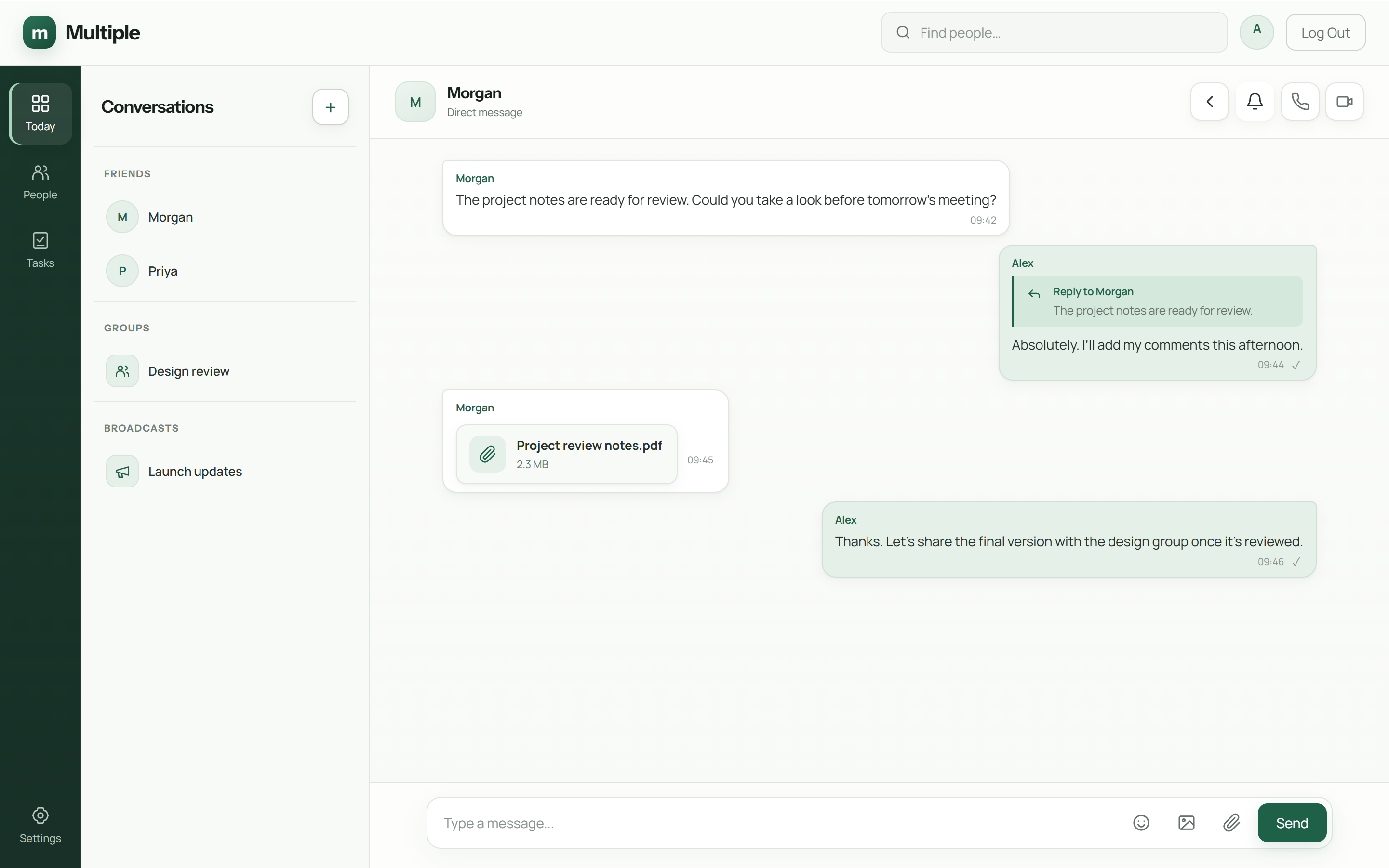
Tell the reader whether the attachment is for review, reference or use. Include the change that matters. A useful message prevents the familiar “what should I do with this?” reply.
Keep filenames understandable, but do not rely on a filename alone to explain the status. When a decision changes, say so in the conversation people are following.
Check the audience first
A direct conversation and a department group have different audiences. Choose the place that matches the information, then check who belongs there.
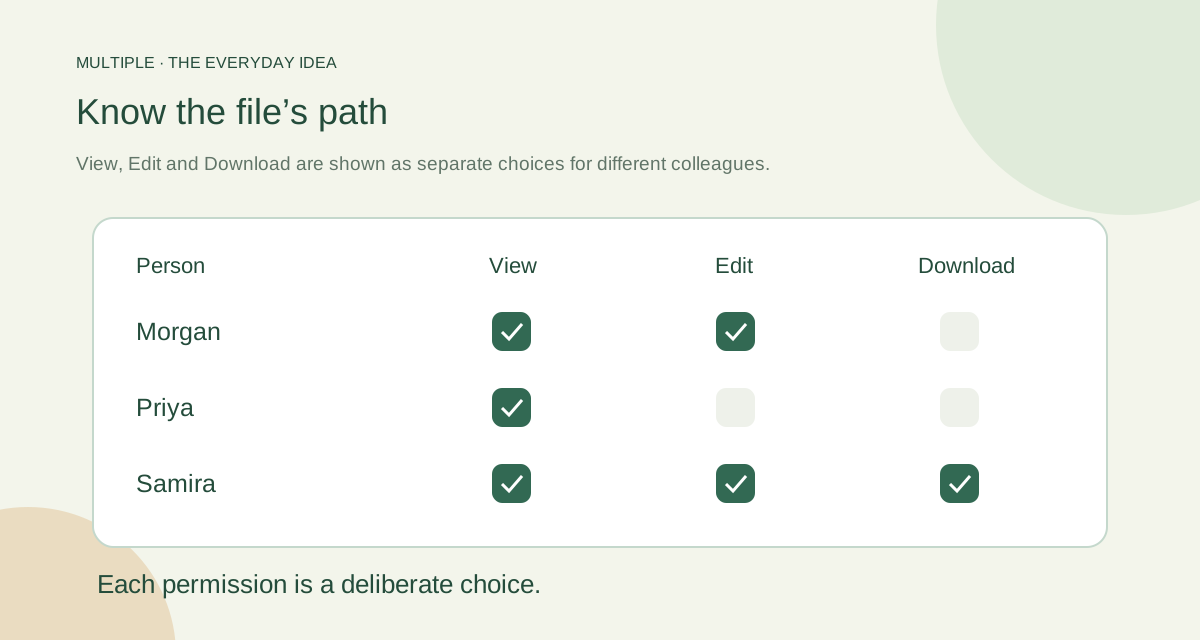
Multiple checks conversation membership and authorised file access on the server. Shared editing adds separate individual View, Edit and Download grants. Those grants are not automatically inherited from group-admin status.
Choose an attachment or a shared draft
An attachment is useful when people need a copy or reference. A basic shared document is useful when a few colleagues need to edit the same small draft. They solve different problems.
Keep the original when importing a Word or Excel file into the beta editors. Complex formatting and workbook features may not survive conversion. The import notes help you decide whether the simpler editor fits the job.
| Control | Question | Evidence |
|---|---|---|
| Audience | Who belongs to this conversation? | Approved membership list |
| Transport | Do clients use the trusted configured connection? | Connection and certificate checks |
| Service access | Can a non-member retrieve the attachment? | Refused unauthorized test request |
| Account change | Does revoked access behave as expected? | Session and reconnect test |
| Recovery | Can the file and context be restored together? | Successful demonstration restore |
Look after downloaded copies
An authorised download leaves the company service and becomes a file on a device. App permissions cannot recall that copy later. Include download handling in your own policy.
Protect employee devices and backups, and make it easy to report a file sent to the wrong audience. On-premises storage gives the company operating responsibility; it does not make every copy impossible to expose.
Do not grant Download simply because someone needs to read or edit the shared draft.
Prove that you can get the file back
Use a disposable example to test access and recovery. Remove a test member, verify the expected refusal and restore the conversation and attachment from a protected backup.
Write down the result and the person responsible. A clear audience, clear context and a tested recovery process make file sharing more dependable than another “final-final” filename.
The fuller notes for your IT team
Map where files live
Ask the operator to identify the application’s file storage, the database records that connect attachments to conversations and the backup destinations. “On our server” is too vague for an incident or restore. Record who can administer each location and where a restored demonstration file will be checked.
Multiple uses company-operated storage for its workplace messages and files in the supported deployment. That workplace data is separate from the public marketing website’s enquiry and analytics systems.
Choose the audience before sharing
Send a file in the conversation whose membership matches the business purpose. A supplier quote for a restricted review belongs with that authorized audience, not automatically in a company-wide group. Use a contextual reply or linked thread to keep the discussion attached to the file’s purpose.
In Multiple, linked threads inherit conversation access. They do not create a separate restricted file audience. Basic beta shared documents use explicit individual View, Edit and Download grants; do not assume that attachment membership and editor grants are the same control.
Keep versions and decisions understandable
Name files clearly enough to distinguish a draft from an accepted version. Put the decision in the conversation: “Use the approved quotation dated …”. A chat attachment alone does not supply all the versioning, classification or records-management behavior of a dedicated document-management system.
For a file that changes repeatedly, agree where the current source belongs and how revisions are shared. Keep the original when converting it in a beta editor. Imported Office features may not survive conversion into the basic document or spreadsheet model.
Include devices and downloaded copies
An authorized recipient may download a file, copy it or capture visible information. Removing service access later can stop supported future retrieval but cannot recall all those copies. Include company device handling and employee departure procedures in the plan.
TLS protects the configured connection; it does not by itself establish end-to-end encryption or encrypt every storage location. Review actual transport, server access, storage permissions and backup protection separately. Avoid describing local hosting as a certification.
Use a recovery and access exercise
Share a demonstration file with the right group, retrieve it from a second authorized client, and try access from a non-member test account. Change access and check the active-session and reconnect behavior you depend on.
Restore the file and its conversation to an isolated test environment. Record the result and recovery owner. Retention also needs explicit review: Multiple’s current retention-purge V1 scope is report-only, so do not plan around automatic deletion that has not been delivered and accepted.
Common questions
Do View and Download mean the same thing?
No. Shared editing lets you choose them separately for each person.
Can removing access recall an old copy?
No. An already downloaded copy lives outside the app’s access control.
How do we avoid using the wrong version?
Say which file is current and what changed in the conversation, rather than relying on “final” in the filename.
Try this at work
Share an example file with a clear purpose and intended audience. Check access, remove a test member and restore the example with IT’s help.
Use the deployment review checklist ↗