Separate the kinds of access
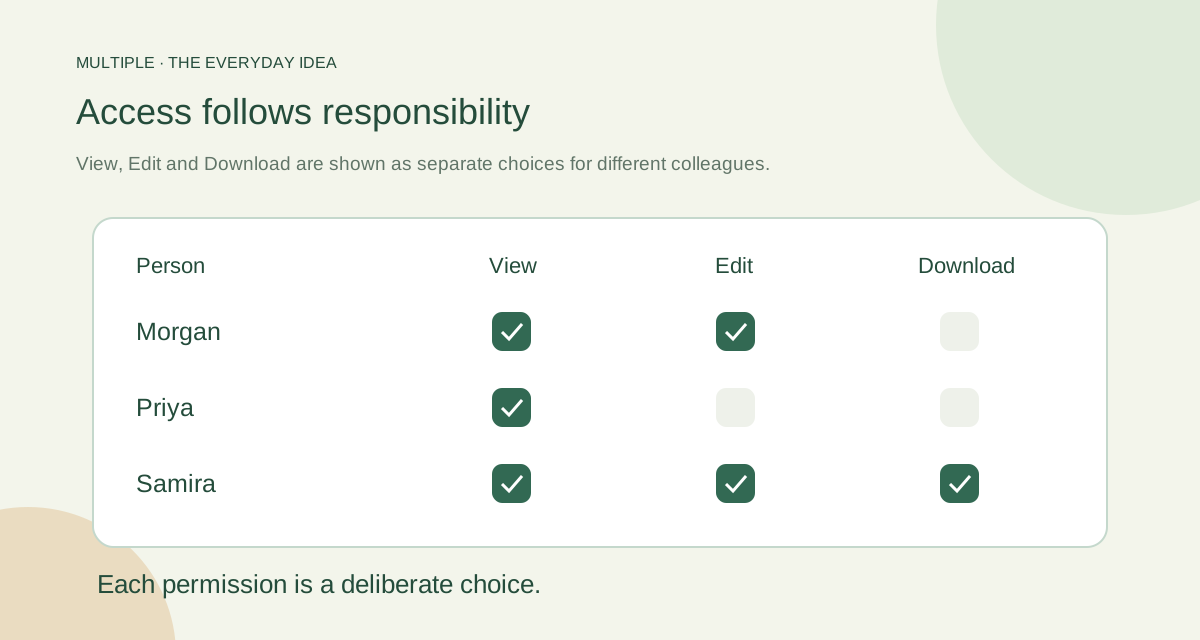
Managing an account is different from joining a conversation. Joining a conversation is different from editing a shared document. Start by naming the job you are granting.
This helps avoid a common surprise: someone assumes a broad role includes every smaller permission. Multiple’s shared documents use explicit individual grants rather than automatically handing edit and download rights to group administrators.
Give operators clear responsibilities
Authorised administrative permissions cover jobs such as people management, security review and operating data policies. Pick the responsibilities your organisation actually needs.
Limit access to sensitive reviews and exports. The application’s controlled investigation workflow asks for relevant reasons and references. It is a way to review a concern, not a promise that every threat is automatically found.
Share the draft deliberately
For a basic shared file, choose View, Edit and Download for each person. A reviewer may only need View. A contributor may need Edit without receiving a download permission.
Check the behaviour with test colleagues before relying on it for important work. Remember that a person allowed to see information may still copy it or take a screenshot. Permissions are useful controls, not a claim that copying becomes impossible.
| Role | Responsibility | Check before assigning |
|---|---|---|
| Super Administrator | Full administrative authority | Who genuinely needs the broad role? |
| User Administrator | Users, groups and account states | Are lifecycle requests authorized and recorded? |
| Security Administrator | Authentication, sessions, devices and security settings | Can security changes be reviewed independently? |
| Auditor | Audit search and authorized investigations or exports | Is scope, reason and reference recorded? |
| System Administrator | Infrastructure operations | Confirm this does not imply automatic private-conversation access |
Make employee changes a routine
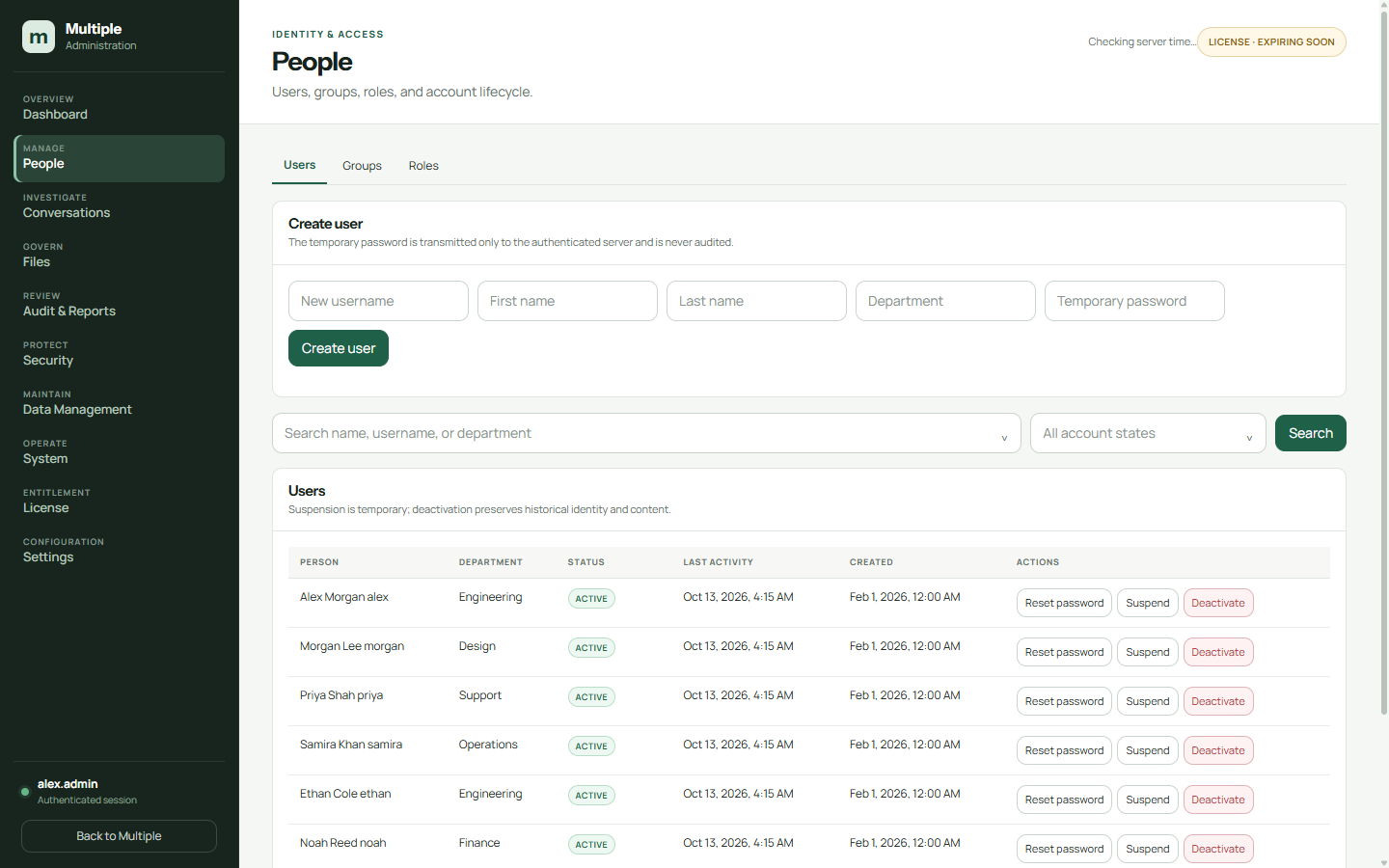
When someone starts, give the appropriate role and groups. When they change jobs, review both. When they leave, change account status and revoke sessions through the authorised process.
Test a removed account’s reconnect attempt. Test a document whose grants changed. Record what happened so your team can see the result rather than assuming old access disappeared.
Review access at a role change, not only at the end of employment.
Keep the rules understandable
Use clear role names and a short explanation of what each allows. Tell staff how to request access and who approves it. If the rules are hard to explain, they are usually hard to operate.
The aim is enough access to do the work, with a reliable way to change it. A small set of clear responsibilities is easier to maintain than a growing collection of exceptions no one remembers.
The fuller notes for your IT team
Understand the different access layers
A person may participate in a department conversation without being an administrator. An infrastructure administrator may maintain the service without automatic authority to read private conversations. An approved investigator may have a narrowly authorized review that is neither ordinary membership nor routine system maintenance.
Document the role, audience and permission for each operation. This makes a denied request easier to understand and prevents “administrator” from becoming an undefined promise of access to everything.
Multiple’s administrative roles
The operational role model separates broad administration, user lifecycle, security controls, auditing and infrastructure. The table describes responsibilities; the actual permission checks and protected workflow should be verified in the installed release before role assignment.
Membership and individual file grants
Conversation membership defines the relevant audience for ordinary messages and attachments. Multiple’s linked threads inherit their parent conversation’s access, so creating a thread does not establish a new secret audience. Review the parent membership when the discussion contains restricted information.
Basic beta shared documents and spreadsheets use explicit individual View, Edit and Download grants. A group administrator does not inherit editor access automatically. Confirm both the installed beta release and the individual grant rather than assuming that a general group role unlocks a shared document.
Plan controlled investigations
A protected investigation should have an authorized scope, a business reason and a reference linking it to the company process. The operator should use the permitted search, view, download or export workflow and review the resulting audit events. This is different from casual browsing of private conversations.
Agree who authorizes an investigation and who reviews its outcome. Keep the administrative account individual rather than shared, so actions remain attributable to the operator. A log is useful only when the organization also reviews access and understands what the recorded event means.
Test joiners, movers and leavers
Use demonstration accounts to verify a department membership change, a role change, session revocation and account suspension or deactivation. Check reconnect as well as the currently active client. These controls act at different points and should be tested separately.
Review role assignments regularly. Account deactivation preserves company history in the described lifecycle workflow; deletion and retention require a separate policy. The current retention-purge implementation is report-only, so do not assume unattended data removal.
Common questions
Does an administrator automatically get every document right?
No. Shared documents use explicit individual View, Edit and Download grants.
What happens when someone changes teams?
Review their roles, conversation memberships and document grants. Those are different kinds of access.
Do permissions make copying impossible?
No. Someone who can see information may still copy it or take a screenshot.
Try this at work
Pick a test colleague and a shared draft. Change View, Edit and Download individually, then check that the actual behaviour matches your choices.
Use the deployment review checklist ↗