Start with who holds the keys
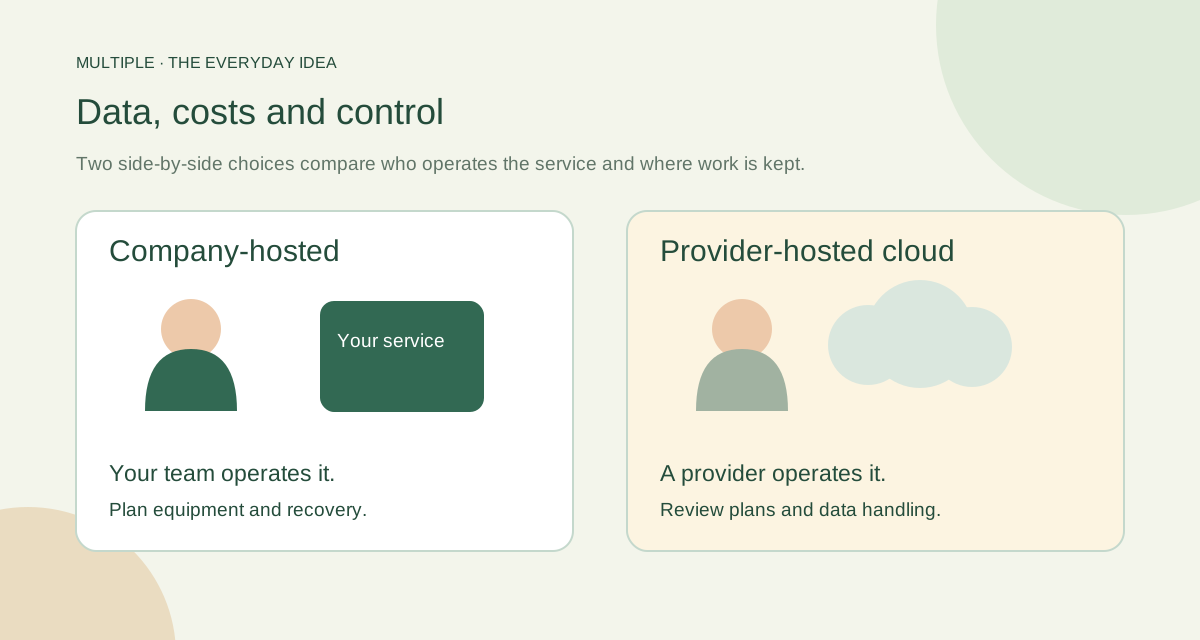
A cloud provider operates the service you subscribe to. With a company-hosted system, your organisation operates its own service. You still need someone to manage employee accounts in either case.
The word “local” is not a magic security label. It tells you something about where the service runs. Good access rules, maintained devices and sensible handling of files still matter.
Follow one message
In Multiple’s supported local setup, the employee app sends the message to the company server through the office network. The company database stores the message, and the server checks who may receive it.
A typical cloud service depends on reaching the provider over the internet. That can suit a team working from many places. The right choice depends on where people work and which connection you want to rely on.
Look beyond the price on the button
For company hosting, add the server, database, backups and the time needed to maintain them. For cloud, look at subscription growth, administration and any export or transition work. A cheap starting price is only one part of the story.
Use the same period for both options. Three years is a useful planning exercise, but your own staffing and equipment costs belong in the numbers. Avoid guessed savings or an invented “free forever” total.
| Decision | Company-operated messaging | Provider-operated cloud messaging |
|---|---|---|
| Messages and attachments | Identify company database and file directories | Confirm provider storage and available regions |
| Employee connectivity | Maintain reachable local server, name resolution and trusted TLS | Maintain the connection and supported clients required by the service |
| Backups and restore | Own the complete backup set and recovery exercise | Understand provider recovery plus customer export options |
| Updates and incidents | Assign rollout and infrastructure support owners | Clarify provider responsibilities and customer configuration duties |
Ask what happens on a bad day
An internet outage, a stopped server and a lost file are three different problems. Test them separately. A service that works without public internet still needs its local network and server.
Have someone restore a small test backup. Check that the conversation and attachment both open with the right access. “We have a backup” feels more reassuring when someone has actually brought it back.
Ask for a recovery demonstration before your office depends on the service.
Choose ownership that fits your business
Company hosting can fit an office that wants to operate its own Windows messaging service and has IT support for it. Cloud can fit a team that prefers the provider to run more of the infrastructure.
Neither choice automatically makes every employee workflow easier. Try the actual conversations, files and handovers your team needs. Then make the hosting decision with the people who will use and maintain it.
The fuller notes for your IT team
On-premise, self-hosted and cloud: the difference
An on-premise messenger runs on infrastructure at your company site. A self-hosted messenger is operated by your organization and may run at the office or in private rented infrastructure. Cloud messaging is delivered as a provider-operated service. The words are related but do not describe exactly the same responsibility.
In Multiple’s supported office scope, Windows clients connect to one company application backend on a single local VLAN. The company maintains the database, file storage, trust configuration and local services. That scope should be confirmed against the actual installation instead of inferred from the general phrase “self-hosted.”
Compare the responsibilities that matter
Use the table as a question sheet. A cloud provider may offer different regions, backup arrangements or administrative controls by edition. An on-premise installation still depends on sound access policies, secure devices and tested operations.
Use a three-year cost worksheet
Choose the same employee count and feature scope for both quotes. Record setup and migration costs once, then list annual software charges, infrastructure, backup storage, administrator hours and support. Include a contingency for equipment replacement or recovery work.
A useful worksheet has quantity, unit cost, frequency and owner columns. For example: administrator hours per month multiplied by the company’s internal rate, or backup storage per month multiplied by the supplier’s rate. Leave unknowns marked “quote required.” Avoid filling them with an attractive but unverified price.
Test connectivity and recovery separately
For a local office installation, disconnect public internet during a controlled pilot while keeping the internal network and local services healthy. Verify login, messages, file delivery and reconnect. Next, test a planned application-server interruption separately. These are different failure conditions and should produce different recovery actions.
If staff need access outside the supported local environment, record that requirement before choosing.
Make the choice with accountable owners
An organization with a stable Windows office network, clear IT ownership and a requirement to manage its own messaging data may find an on-premise deployment appropriate. A distributed team with a preference for provider-managed infrastructure should compare cloud offerings against its device, access and data requirements.
For Multiple, review deployment prerequisites, offline licensing, backup ownership and the currently approved release with the team that will operate it. Finish by recording the reason for your choice and the requirements that would trigger a review later, such as a new branch or mobile workforce.
Common questions
Is company hosting always safer?
No. It changes ownership and the operating job. Devices, permissions, updates and recovery still need care.
Can a local service work when internet fails?
Core local work can, after setup, while the office network and company services remain available.
How do we compare the costs?
Use the same time period and include people, equipment, storage and maintenance on both sides.
Try this at work
Pick the outage, access change and recovery job that matter most to your office. Ask each proposal’s owner to show how those three jobs work.
Use the deployment review checklist ↗